
Recipe Generator: From Class Idea to AI App
The Original Idea
Back in 3rd year, I had a business development class where me and 5 friends pitched "Instant Delight" - an app that tells you what to cook based on whatever's in your fridge.
It was just a class assignment though. We made basic mockups and presented it, but nothing was actually built. I wasn't studying software engineering, and AI wasn't accessible back then. The idea was a simple recipe database that could be filtered by ingredients - nothing fancy.
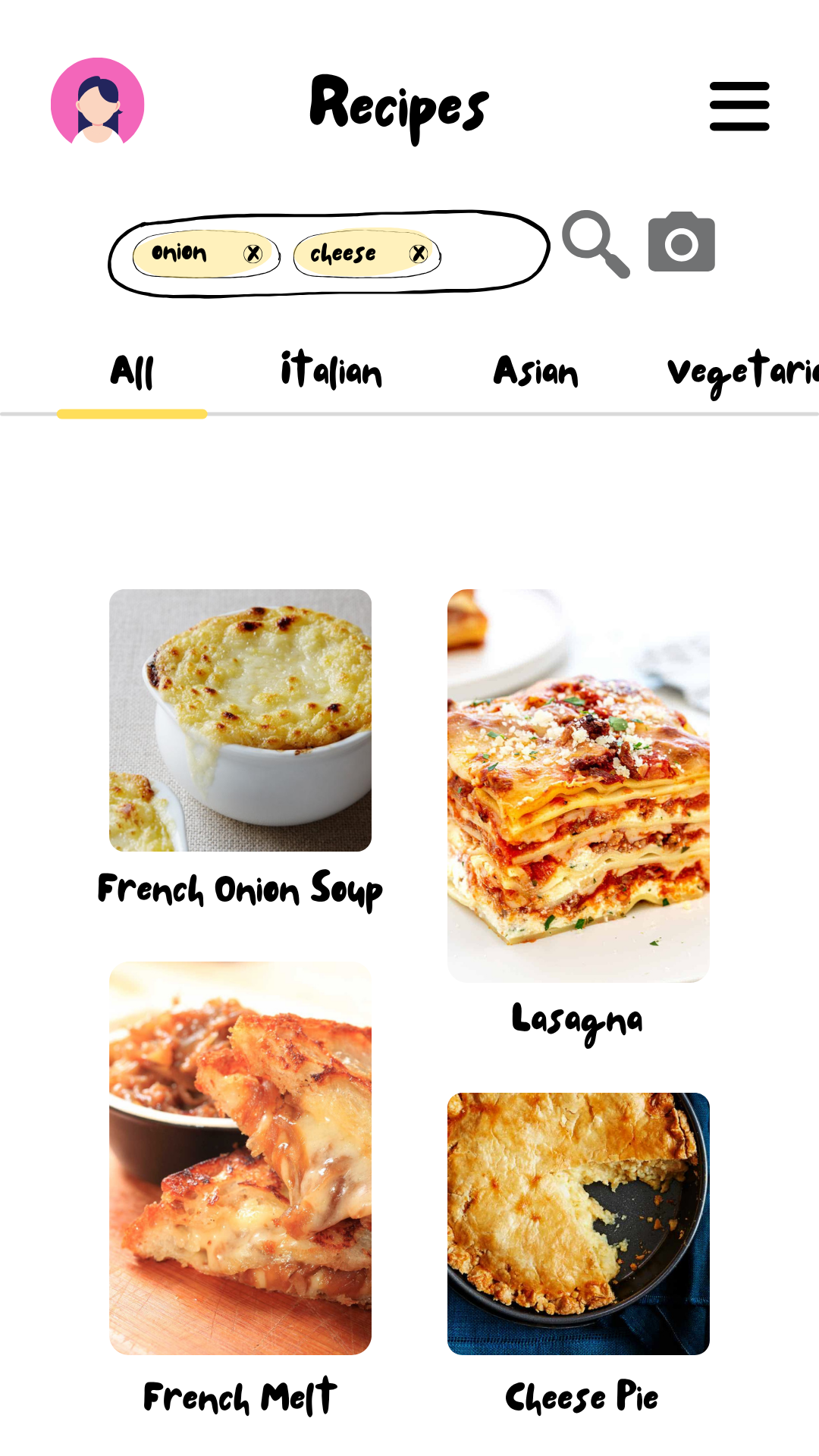
Original Instant Delight mockup - list view
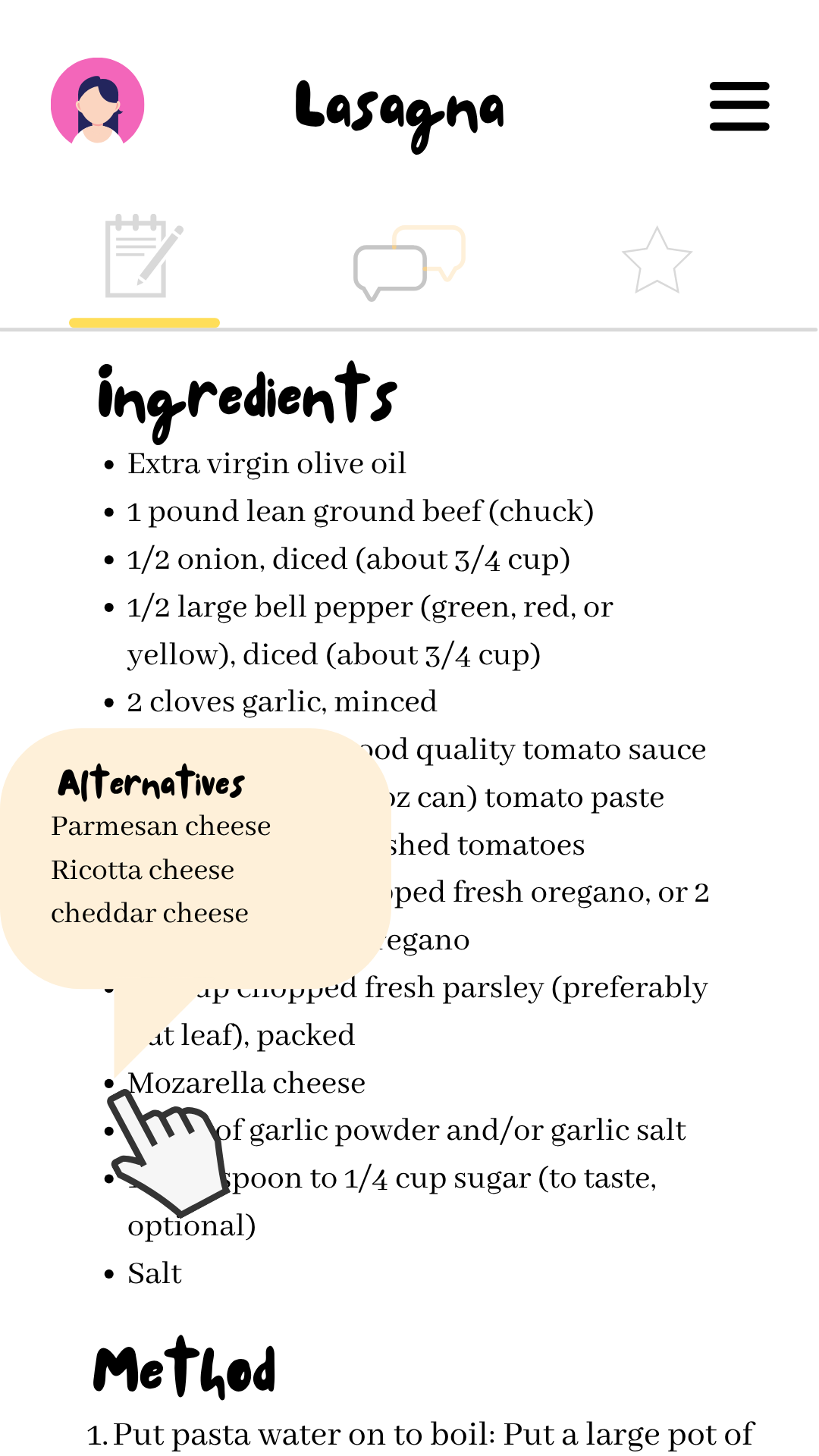
Original Instant Delight mockup - recipe view
Years Later at Mesiniaga
At my first job doing frontend work, I was surrounded by colleagues who were building AI-integrated tools. Seeing my manager give talks about using AI in his workflow made it clear how practical and accessible AI had become.
This environment got me thinking about the old recipe app idea again, but this time I wanted to actually build it as an AI-powered website. I even got to present my AI development experience to MMU students, which helped me understand the technology better.
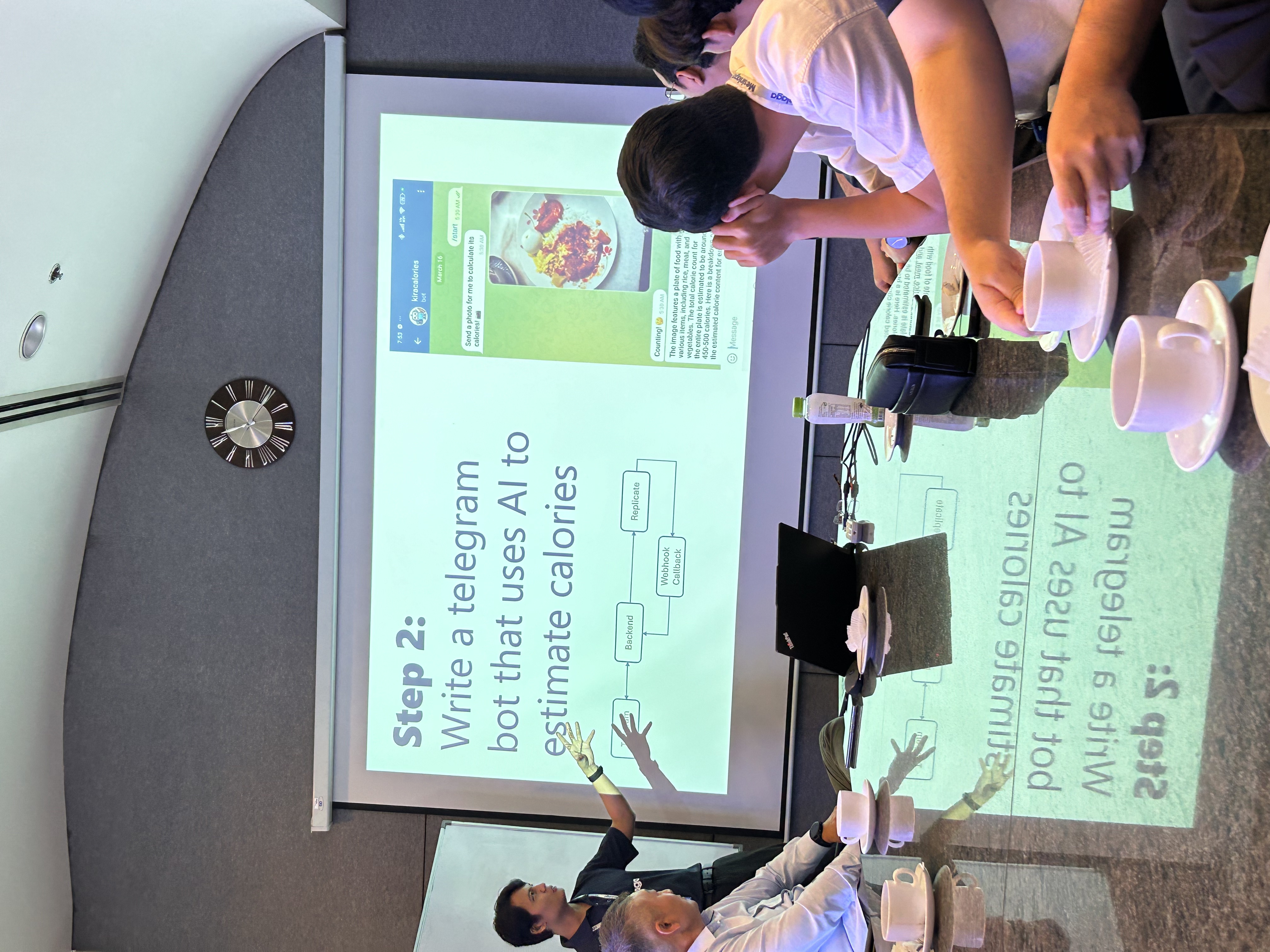
My manager sharing how he uses AI in his daily life

Presenting to MMU students about AI in dev work (me on the right!)
Building It for Real
Getting AI to Work
The first challenge was getting Gemini AI to give me structured responses my app could actually use. After some trial and error with the API, I figured out how to get consistent JSON responses:
def create_recipe_prompt(query, ingredients, dietary_restrictions, additional_instructions, lang):
  prompt = f"""
    You are a Masterchef skilled in local and global cuisine. Help users with valid cooking queries or real ingredients.

    First, validate the input:
    - If nonsensical, unrelated to food, or fake ingredients, return this JSON exactly:
    {{
      "error": "Invalid input. Please enter a valid food-related query or ingredients."
    }}

    Additional Instructions: {additional_instructions or "None"}
  """

  if ingredients:
      ing_list = ", ".join(ingredients)
      prompt += f"""
        Use only these ingredients: {ing_list}
        If more needed, mark with (suggested addition)
        Return recipe array in JSON format:

        {{
          "recipes": [
            {{
              "name": "...",
              "description": "...",
              "ingredients": [{{"name": "...", "amount": "..."}}],
              "steps": [{{"description": "...", "tips": "..."}}],
              "suggested_pairings": [{{"dish_name": "...", "description": "..."}}]
            }}
          ]
        }}
      """
  else:
      prompt += f"""
        Answer this question: {query}
        Return single recipe in JSON format:

        {{
          "name": "...",
          "description": "...",
          "ingredients": [{{"name": "...", "amount": "..."}}],
          "steps": [{{"description": "...", "tips": "..."}}],
          "suggested_pairings": [{{"dish_name": "...", "description": "..."}}]
        }}
      """

  if dietary_restrictions:
      rules = {
          "halal": "Use only Halal ingredients and methods",
          "vegetarian": "No meat or animal by-products",
          "vegan": "No animal products at all",
          "non-dairy": "Avoid all dairy ingredients",
          "keto": "Low carbs, high healthy fats, moderate protein",
          "gluten-free": "Avoid wheat, barley, rye and all gluten sources"
      }
      prompt += "\nDietary restrictions:\n" + "\n".join(
          f"- {rules[r]}" for r in dietary_restrictions if r in rules
      )

  prompt += f"\n\nRespond in natural {lang}."
  return prompt
def create_recipe_prompt(query, ingredients, dietary_restrictions, additional_instructions, lang):
prompt = f"""
You are a Masterchef skilled in local and global cuisine. Help users with valid cooking queries or real ingredients.
First, validate the input:
- If nonsensical, unrelated to food, or fake ingredients, return this JSON exactly:
{{
"error": "Invalid input. Please enter a valid food-related query or ingredients."
}}
Additional Instructions: {additional_instructions or "None"}
"""
if ingredients:
ing_list = ", ".join(ingredients)
prompt += f"""
Use only these ingredients: {ing_list}
If more needed, mark with (suggested addition)
Return recipe array in JSON format:
{{
"recipes": [
{{
"name": "...",
"description": "...",
"ingredients": [{{"name": "...", "amount": "..."}}],
"steps": [{{"description": "...", "tips": "..."}}],
"suggested_pairings": [{{"dish_name": "...", "description": "..."}}]
}}
]
}}
"""
else:
prompt += f"""
Answer this question: {query}
Return single recipe in JSON format:
{{
"name": "...",
"description": "...",
"ingredients": [{{"name": "...", "amount": "..."}}],
"steps": [{{"description": "...", "tips": "..."}}],
"suggested_pairings": [{{"dish_name": "...", "description": "..."}}]
}}
"""
if dietary_restrictions:
rules = {
"halal": "Use only Halal ingredients and methods",
"vegetarian": "No meat or animal by-products",
"vegan": "No animal products at all",
"non-dairy": "Avoid all dairy ingredients",
"keto": "Low carbs, high healthy fats, moderate protein",
"gluten-free": "Avoid wheat, barley, rye and all gluten sources"
}
prompt += "\nDietary restrictions:\n" + "\n".join(
f"- {rules[r]}" for r in dietary_restrictions if r in rules
)
prompt += f"\n\nRespond in natural {lang}."
return promptBuilding the Interface
I built the interface in three phases: started with those university paper mockups and Figma designs for the class presentation, then created a basic working version using shadcn components (looked pretty basic but it worked!), and finally evolved into the current version with custom UI design, database integration, and proper backend endpoints.
Recently I added a proper FastAPI backend and PostgreSQL database so people can save recipes they like. Railway.com was used for hosting because it was simple to set up, and I got to learn some SQL along the way, which was actually pretty fun. The backend handles all the database operations and communicates with the Gemini AI API, while the Next.js frontend just talks to my API endpoints.
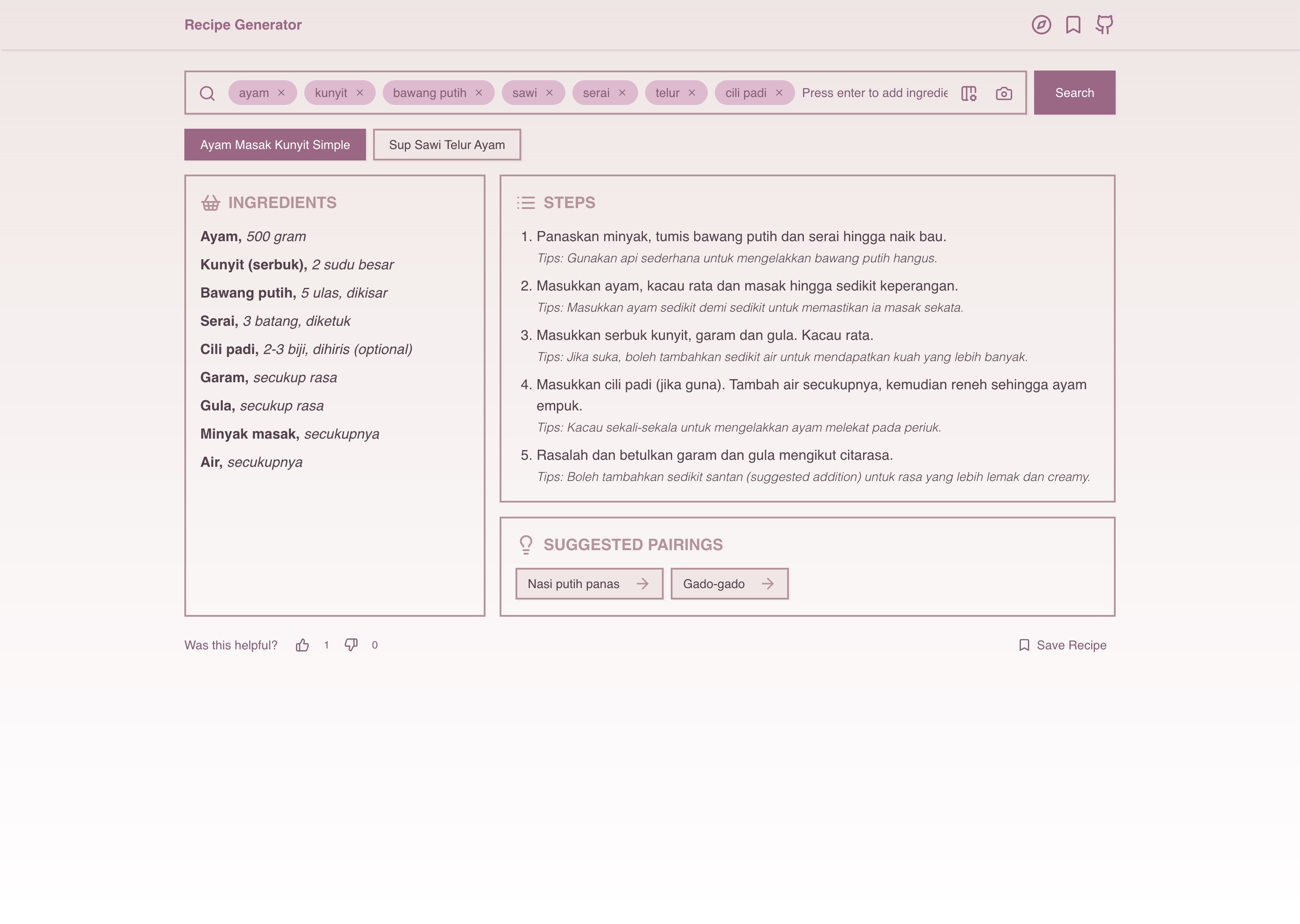
Current Recipe Generator interface - quite a journey from those paper mockups!
Tech Stack
- Frontend: Next.js, Shadcn UI, Tailwind CSS, TypeScript
- Backend: FastAPI (Python), Gemini AI API, PostgreSQL
- Hosting: Vercel (frontend) + Railway.com (database + API)
Cool Features
- Type ingredients, get instant recipes
- Search by dish name or upload dish images
- Save favorites to personal collection
- Mobile-friendly with fast responses (under 10 seconds)
- Handles dietary restrictions properly
What I Learned
- How to actually integrate AI into real apps (not just playground stuff) using the Gemini API
- Full-stack development from scratch
- Database design and SQL queries were learned along the way
- UI/UX is way harder than it looks, but super rewarding when done right
- How to structure prompts for consistent AI responses
The Journey
What started as a paper idea with friends in business class turned into a working AI app years later. It's wild how technology evolved to make what we imagined actually possible - and way cooler than originally thought.
Going from "wouldn't it be nice if..." to "here's the actual app" has been an awesome journey. The best part is seeing people actually use it and save recipes they discovered through the app.
Links:
- Live app: recipe-generator.rulkimi.com
- Code: github.com/rulkimi/recipe-generator
From "what should I cook?" to AI-powered recipes in your pocket. Not bad for a random class idea!