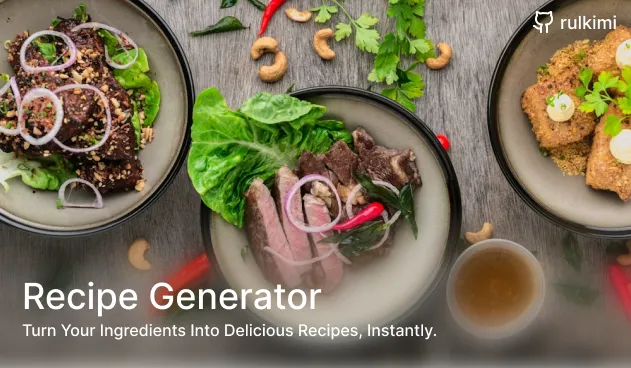
Recipe Generator: My First Deep Dive into AI and Prompt Engineering
During my time at Mesiniaga, my team was involved in researching how to utilize AI to build tools that could improve employee productivity. In those projects, I was strictly the frontend developer. My job was simply to consume the AI API responses and build the interfaces.
I wanted to know what was happening behind the scenes. How does AI actually work? How do we talk to it? And more importantly, how do we prompt the AI to return data in the exact formats we need for web development?
I decided I wanted to build something from scratch to figure it out for myself. At the time, I was staying at home and found myself cooking a lot. So, I built a personal Recipe Generator.
1. Project Structure: A Full-Stack Approach
To have full control over the AI prompting logic securely, I couldn’t just call the AI from the frontend. I built the project using a full-stack monorepo approach:
- Client: Next.js 15 (App Router), Tailwind CSS v4, Motion, and Radix UI.
- Server: A Python backend powered by FastAPI, SQLAlchemy, and PostgreSQL (via Supabase) to handle logs, feedback, and AI orchestration.
By separating the stack, the Python server acts as a middleman, receiving requests from the Next.js client, wrapping them in complex system prompts, querying the Google Gemini API, and parsing the results back down safely.
2. Prompt Engineering & Strict JSON Formatting
The hardest part was figuring out how to make an LLM reliably return structured data instead of long paragraphs. In my Python backend, I created a dynamic prompt builder (core/prompt.py) that sets the strict rules of engagement.
I instructed the model to act as a “Masterchef” but bound it to strict JSON outputs:
prompt = f"""
You are a Masterchef skilled in local and global cuisine. Your goal is to help users with valid cooking-related queries.

Return a **single** recipe in JSON format. Make sure to ONLY return a SINGLE recipe.
Format:
{{
  "name": "...",
  "description": "...",
  "ingredients": [{{ "name": "...", "amount": "..." }}],
  "steps": [{{ "description": "...", "tips": "..." }}],
  "suggested_pairings": [{{ "dish_name": "...", "description": "..." }}]
}}
"""
I also had to build in safety checks. If a user inputs nonsensical strings (like “ashdasdasi”) or tries to request recipes for non-food items, the prompt forces the AI to break out of the recipe format and return a strict JSON error object ({"error": "Invalid input..."}) which my FastAPI server catches and sends cleanly to the frontend UI.
3. Dietary Restrictions on Autopilot
One fun technical detail was handling dietary restrictions. Instead of passing checkboxes directly to the AI, I mapped the frontend selections to strict instructional rules injected dynamically into the prompt.
If the user selects “Keto” or “Halal”, the prompt builder appends strict guardrails:
- Keto: “Low in carbs, high in healthy fats, moderate in protein. Avoid sugars and starches.”
- Halal: “Use only Halal ingredients and methods.”
This ensures the AI doesn’t just guess what the diet means, but follows explicit culinary boundaries.
4. Search by Ingredients
While generating a recipe by name is cool, the feature I use the most is “Search by Ingredients.”
Often, I look in my fridge and see a random assortment of items like some chicken, a bell pepper, half an onion, and soy sauce, and I have absolutely no idea what to cook.
I built a specific API route (/generate_by_ingredients) that takes an array of available ingredients and alters the core prompt:
“Use only these ingredients. If more are needed, mark them with (suggested addition). Return an array of recipes in JSON format.”
Instead of a single recipe, the AI returns multiple creative options based only on what I have on hand. It really helped with my daily “what should I cook?” problem.
Summary
Building the Recipe Generator answered all the curiosities I had while working at Mesiniaga. It taught me how to constrain LLMs, how to enforce JSON schemas via prompts, and how to structure a Python API to act as a secure proxy between a modern Next.js frontend and a Generative AI model.
And most importantly, it gave me a tool I actually use in my kitchen!