
食谱生成器:从课堂创意到AI应用
最初的想法
回到大三时,我在商业发展课上和5个朋友一起提出了 "即时美味" 的想法——一个能根据你冰箱里现有食材告诉你该做什么菜的应用。
不过那只是一个课堂作业。我们做了基本的原型图并进行了展示,但实际上什么都没有真正构建出来。那时我不是学软件工程的,AI也还没有这么普及。这个想法只是一个简单的食谱数据库,可以按食材进行筛选——没什么特别的。
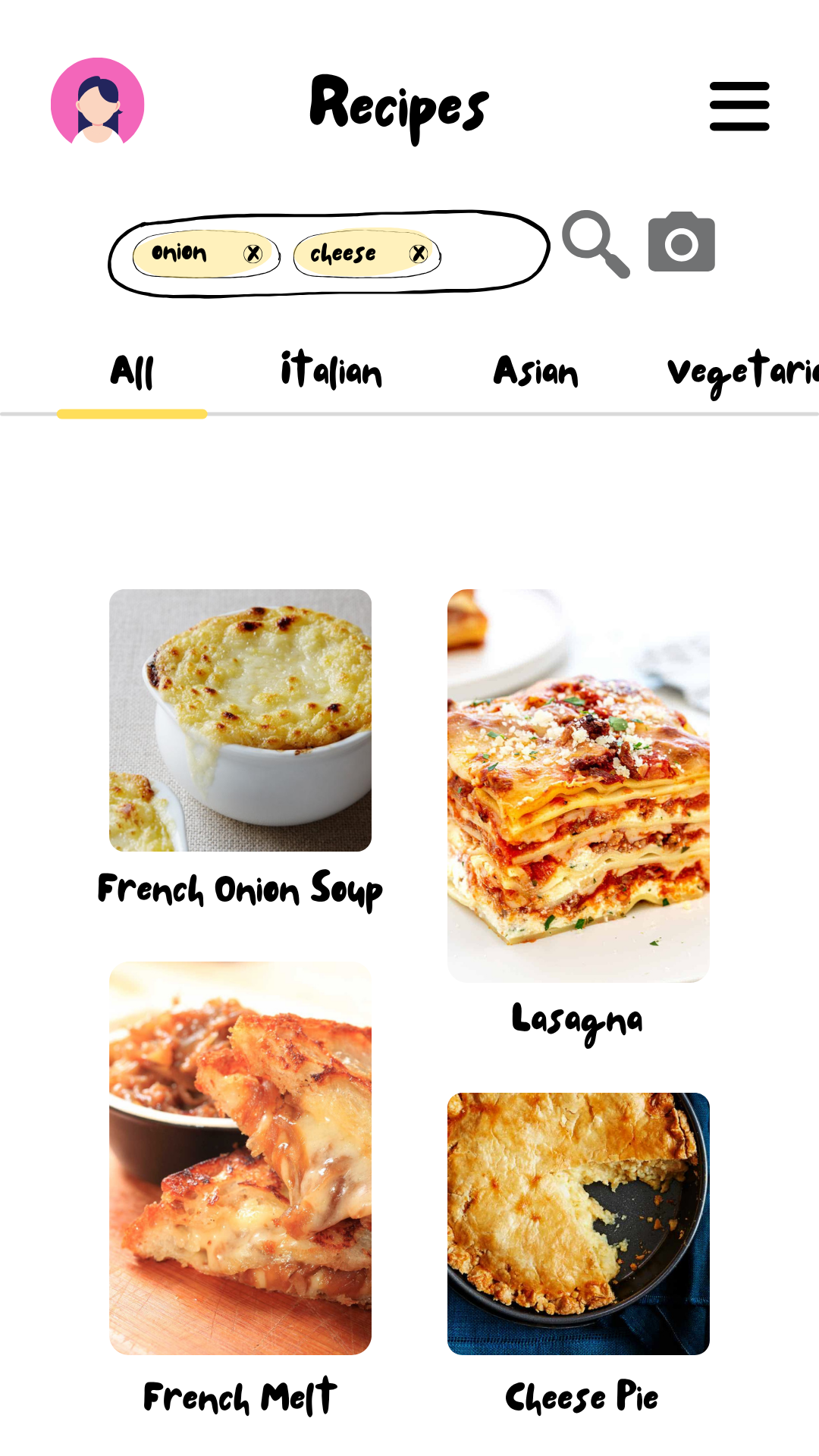
原始即时美味原型图 - 列表视图
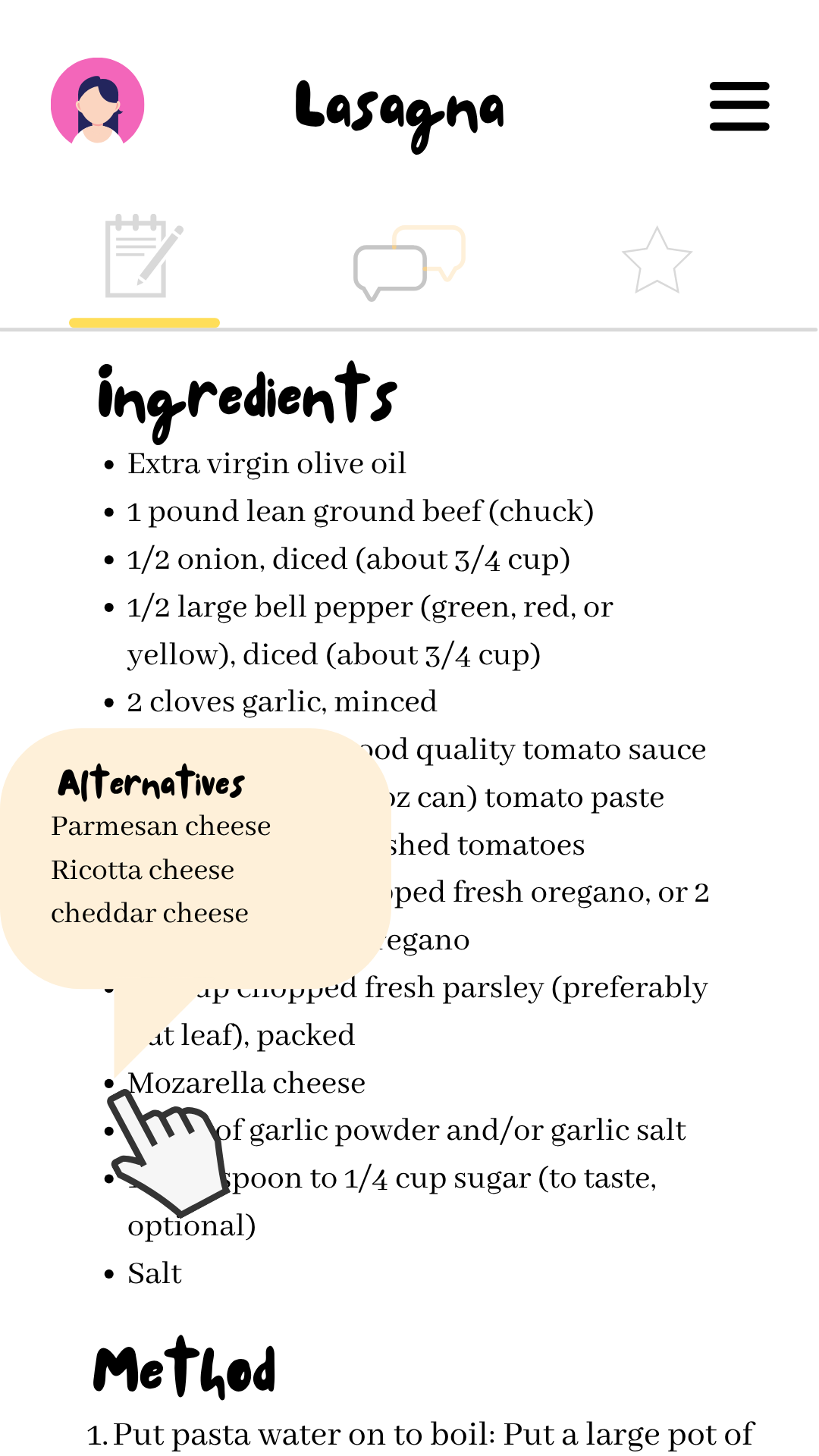
原始即时美味原型图 - 食谱视图
多年后在Mesiniaga
在我第一份做前端工作的工作中,我被一群正在构建AI集成工具的同事包围着。看到我的经理讲述如何在他的工作流程中使用AI,让我清楚地意识到AI已经变得多么实用和易于使用。
这种环境让我重新想起了那个旧的食谱应用想法,但这次我想要真正构建一个AI驱动的网站。我甚至有机会向MMU的学生展示我的AI开发经验,这帮助我更好地理解了这项技术。
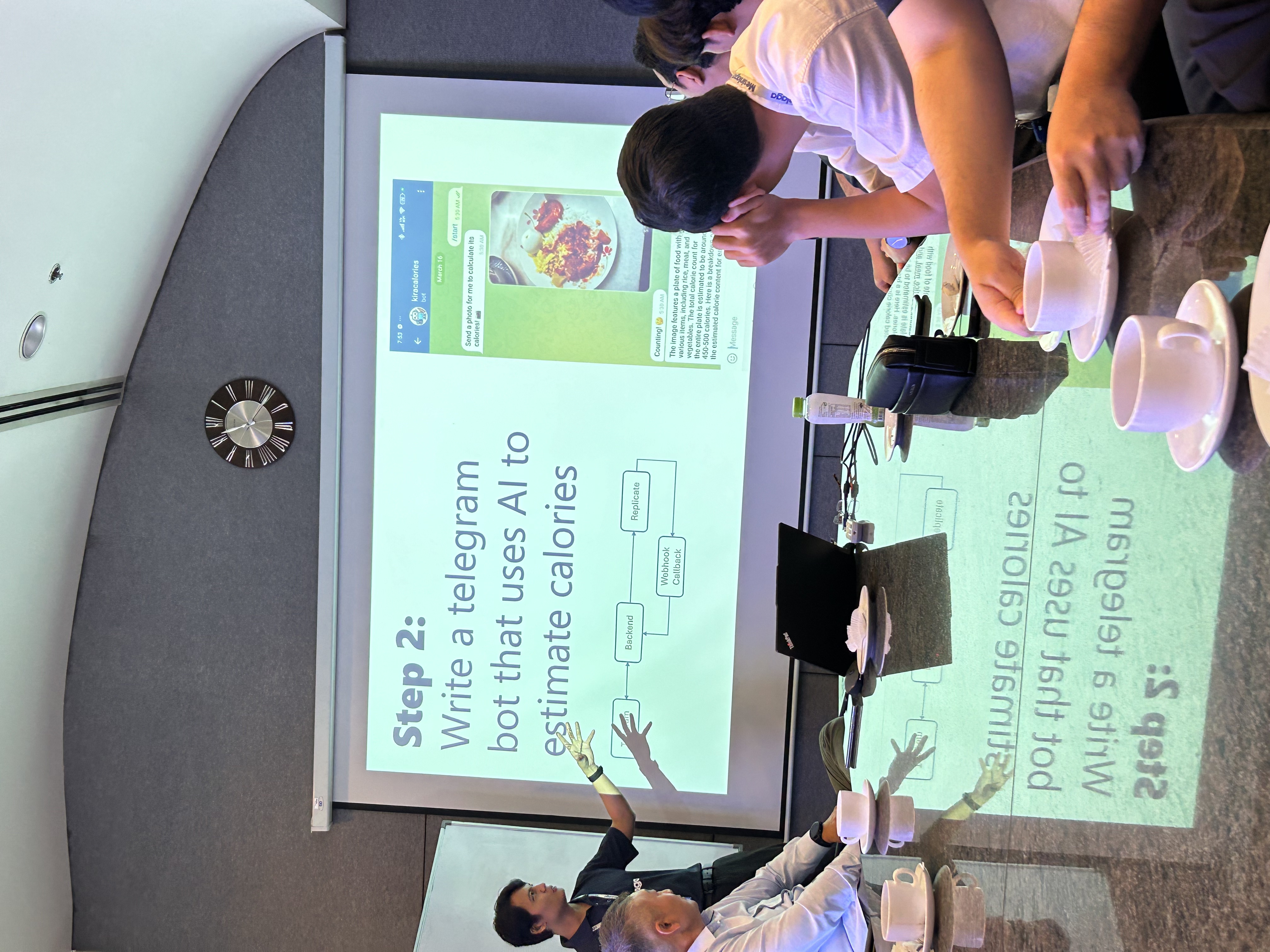
我的经理分享他如何在日常生活中使用AI

向MMU学生展示AI在开发工作中的应用(右边是我!)
真正动手构建
让AI正常工作
第一个挑战是让Gemini AI给我的应用提供结构化的响应。经过与API的一些试验和错误,我找到了获得一致JSON响应的方法:
def create_recipe_prompt(query, ingredients, dietary_restrictions, additional_instructions, lang):
  prompt = f"""
    You are a Masterchef skilled in local and global cuisine. Help users with valid cooking queries or real ingredients.

    First, validate the input:
    - If nonsensical, unrelated to food, or fake ingredients, return this JSON exactly:
    {{
      "error": "Invalid input. Please enter a valid food-related query or ingredients."
    }}

    Additional Instructions: {additional_instructions or "None"}
  """

  if ingredients:
      ing_list = ", ".join(ingredients)
      prompt += f"""
        Use only these ingredients: {ing_list}
        If more needed, mark with (suggested addition)
        Return recipe array in JSON format:

        {{
          "recipes": [
            {{
              "name": "...",
              "description": "...",
              "ingredients": [{{"name": "...", "amount": "..."}}],
              "steps": [{{"description": "...", "tips": "..."}}],
              "suggested_pairings": [{{"dish_name": "...", "description": "..."}}]
            }}
          ]
        }}
      """
  else:
      prompt += f"""
        Answer this question: {query}
        Return single recipe in JSON format:

        {{
          "name": "...",
          "description": "...",
          "ingredients": [{{"name": "...", "amount": "..."}}],
          "steps": [{{"description": "...", "tips": "..."}}],
          "suggested_pairings": [{{"dish_name": "...", "description": "..."}}]
        }}
      """

  if dietary_restrictions:
      rules = {
          "halal": "Use only Halal ingredients and methods",
          "vegetarian": "No meat or animal by-products",
          "vegan": "No animal products at all",
          "non-dairy": "Avoid all dairy ingredients",
          "keto": "Low carbs, high healthy fats, moderate protein",
          "gluten-free": "Avoid wheat, barley, rye and all gluten sources"
      }
      prompt += "\nDietary restrictions:\n" + "\n".join(
          f"- {rules[r]}" for r in dietary_restrictions if r in rules
      )

  prompt += f"\n\nRespond in natural {lang}."
  return prompt
def create_recipe_prompt(query, ingredients, dietary_restrictions, additional_instructions, lang):
prompt = f"""
You are a Masterchef skilled in local and global cuisine. Help users with valid cooking queries or real ingredients.
First, validate the input:
- If nonsensical, unrelated to food, or fake ingredients, return this JSON exactly:
{{
"error": "Invalid input. Please enter a valid food-related query or ingredients."
}}
Additional Instructions: {additional_instructions or "None"}
"""
if ingredients:
ing_list = ", ".join(ingredients)
prompt += f"""
Use only these ingredients: {ing_list}
If more needed, mark with (suggested addition)
Return recipe array in JSON format:
{{
"recipes": [
{{
"name": "...",
"description": "...",
"ingredients": [{{"name": "...", "amount": "..."}}],
"steps": [{{"description": "...", "tips": "..."}}],
"suggested_pairings": [{{"dish_name": "...", "description": "..."}}]
}}
]
}}
"""
else:
prompt += f"""
Answer this question: {query}
Return single recipe in JSON format:
{{
"name": "...",
"description": "...",
"ingredients": [{{"name": "...", "amount": "..."}}],
"steps": [{{"description": "...", "tips": "..."}}],
"suggested_pairings": [{{"dish_name": "...", "description": "..."}}]
}}
"""
if dietary_restrictions:
rules = {
"halal": "Use only Halal ingredients and methods",
"vegetarian": "No meat or animal by-products",
"vegan": "No animal products at all",
"non-dairy": "Avoid all dairy ingredients",
"keto": "Low carbs, high healthy fats, moderate protein",
"gluten-free": "Avoid wheat, barley, rye and all gluten sources"
}
prompt += "\nDietary restrictions:\n" + "\n".join(
f"- {rules[r]}" for r in dietary_restrictions if r in rules
)
prompt += f"\n\nRespond in natural {lang}."
return prompt构建界面
我分三个阶段构建了界面:从大学的纸质原型图和Figma设计开始用于课堂展示,然后使用shadcn组件创建了一个基本的工作版本(看起来很简单但能用!),最后演化成现在的版本,具有自定义UI设计、数据库集成和合适的后端端点。
最近我添加了一个合适的FastAPI后端和PostgreSQL数据库,这样人们就可以保存他们喜欢的食谱了。我使用了Railway.com进行托管,因为它设置简单,而且我还顺便学了一些SQL,这实际上很有趣。后端处理所有数据库操作并与Gemini AI API通信,而Next.js前端只需要与我的API端点对话。
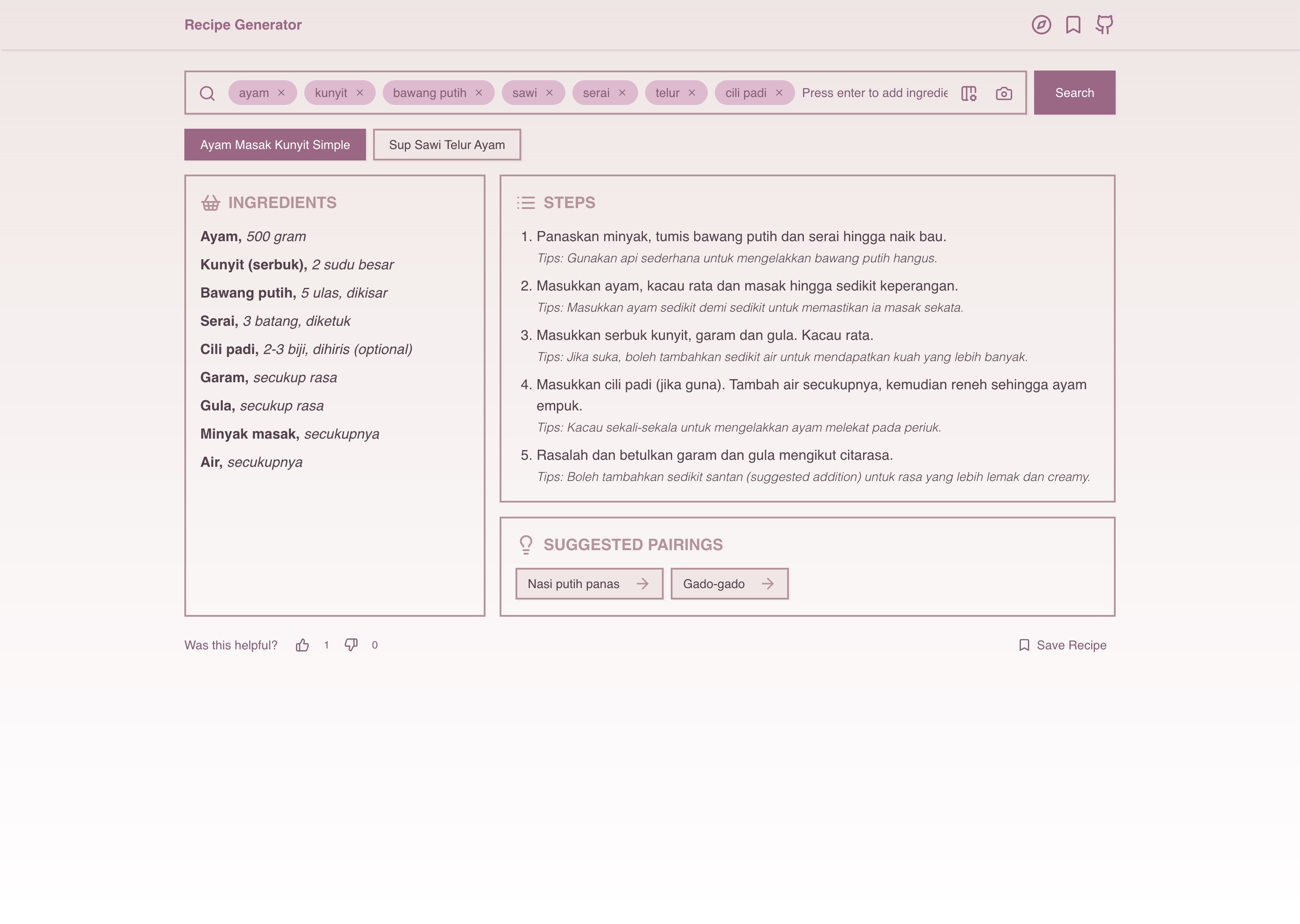
当前的食谱生成器界面 - 从那些纸质原型图真是一段不错的旅程!
技术栈
- 前端:Next.js、Shadcn UI、Tailwind CSS、TypeScript
- 后端:FastAPI(Python)、Gemini AI API、PostgreSQL
- 托管:Vercel(前端)+ Railway.com(数据库 + API)
酷炫功能
- 输入食材,立即获得食谱
- 按菜名搜索或上传菜品图片
- 将喜爱的食谱保存到个人收藏
- 移动设备友好,响应速度快(10秒内)
- 正确处理饮食限制
我学到的东西
- 如何真正将AI集成到实际应用中(不只是游乐场式的测试)使用Gemini API
- 从零开始的全栈开发
- 数据库设计和SQL查询是在过程中学会的
- UI/UX比看起来难得多,但做对了会很有成就感
- 如何构造提示词以获得一致的AI响应
这段旅程
从商业课上与朋友们的纸上想法,到多年后的实际AI应用。技术的演进让我们当初的想象真正成为可能,而且比最初想象的还要酷,这真是太神奇了。
从"如果能...就好了"到"这就是实际的应用",这一直是一段很棒的旅程。最棒的是看到人们真正使用它并保存通过应用发现的食谱。
链接:
从"我该做什么菜?"到口袋里的AI驱动食谱。对于一个随机的课堂想法来说还不错!